One school dashboard

One dashboard for detentions, behaviour, seating and insight.

School Dashboard replaces the patchwork of spreadsheets, paper slips and printouts that schools use to track behaviour. Log a detention in two taps, award a behaviour point from a seating plan, send parents a branded email — and see whole-school analytics broken down by year group, ethnicity, SEND status and detention category.

  • Microsoft Entra ID SSO
  • GDPR-friendly UK hosting
  • Per-school branding
School Dashboard home screen with admin navigation
2 tapsto log a detention
1 tapto award a behaviour point
NightlyEntra ID staff sync
Whole-schoolanalytics, broken down
What it does

Everything pastoral leads need, nothing they don't.

Six modules that share one student roster, one staff list and one audit trail.

Detentions

Log a detention in the time it takes to say it.

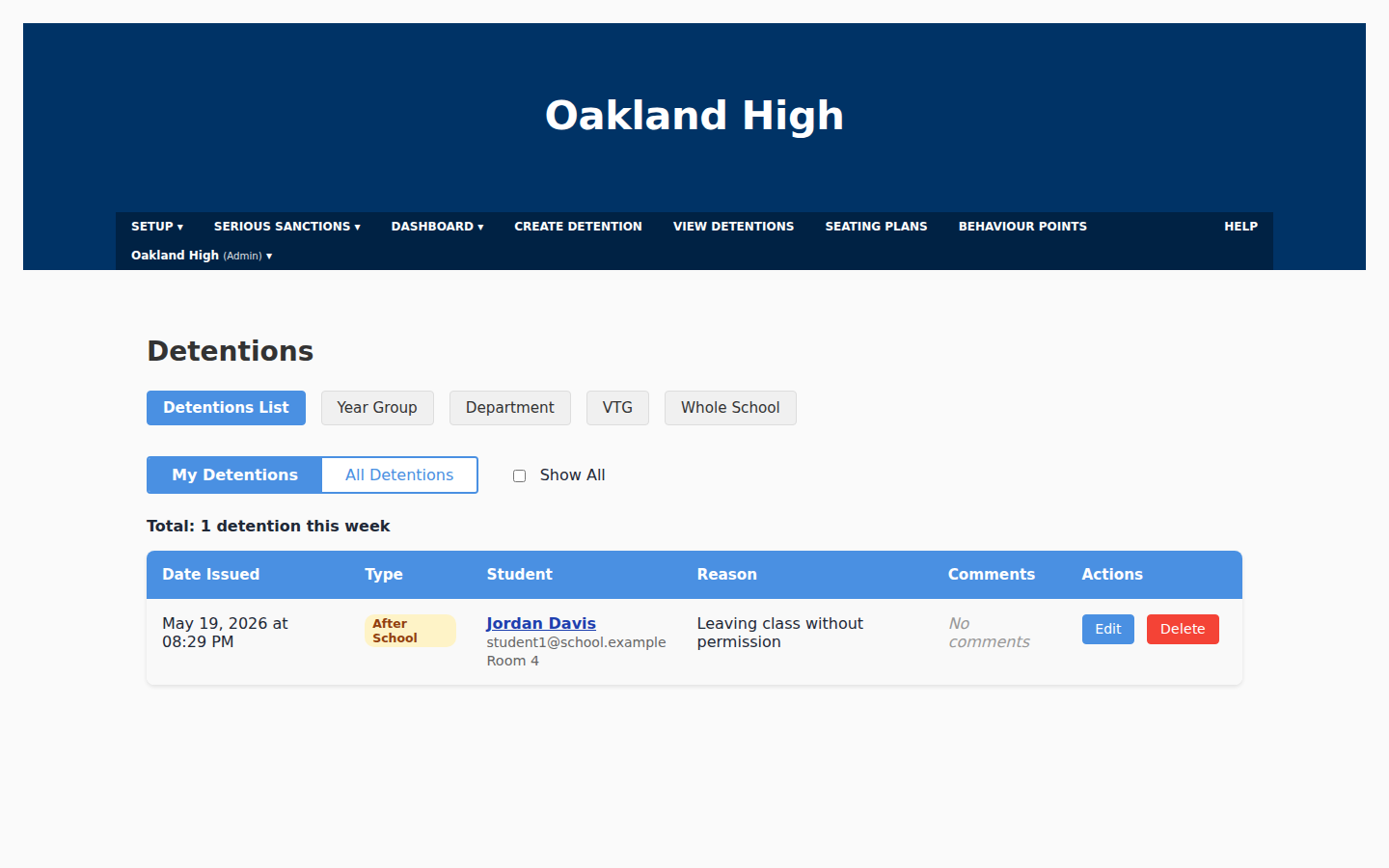
Pick a pupil, pick a reason from your school's preset list, choose the type — break, after school, Saturday — and you're done. Filter by Year Group, Department, VTG or Whole School. Export to PDF or CSV for SLT meetings.

  • Reasons are configurable per school
  • Audit log records every change
  • Parents notified via branded email
  • Bulk CSV import for historic data
The Detentions list filtered by My Detentions for the current week
Detentions list — filter by My Detentions, Year Group, Department, VTG or Whole School.
Behaviour Points

One tap, mid-lesson.

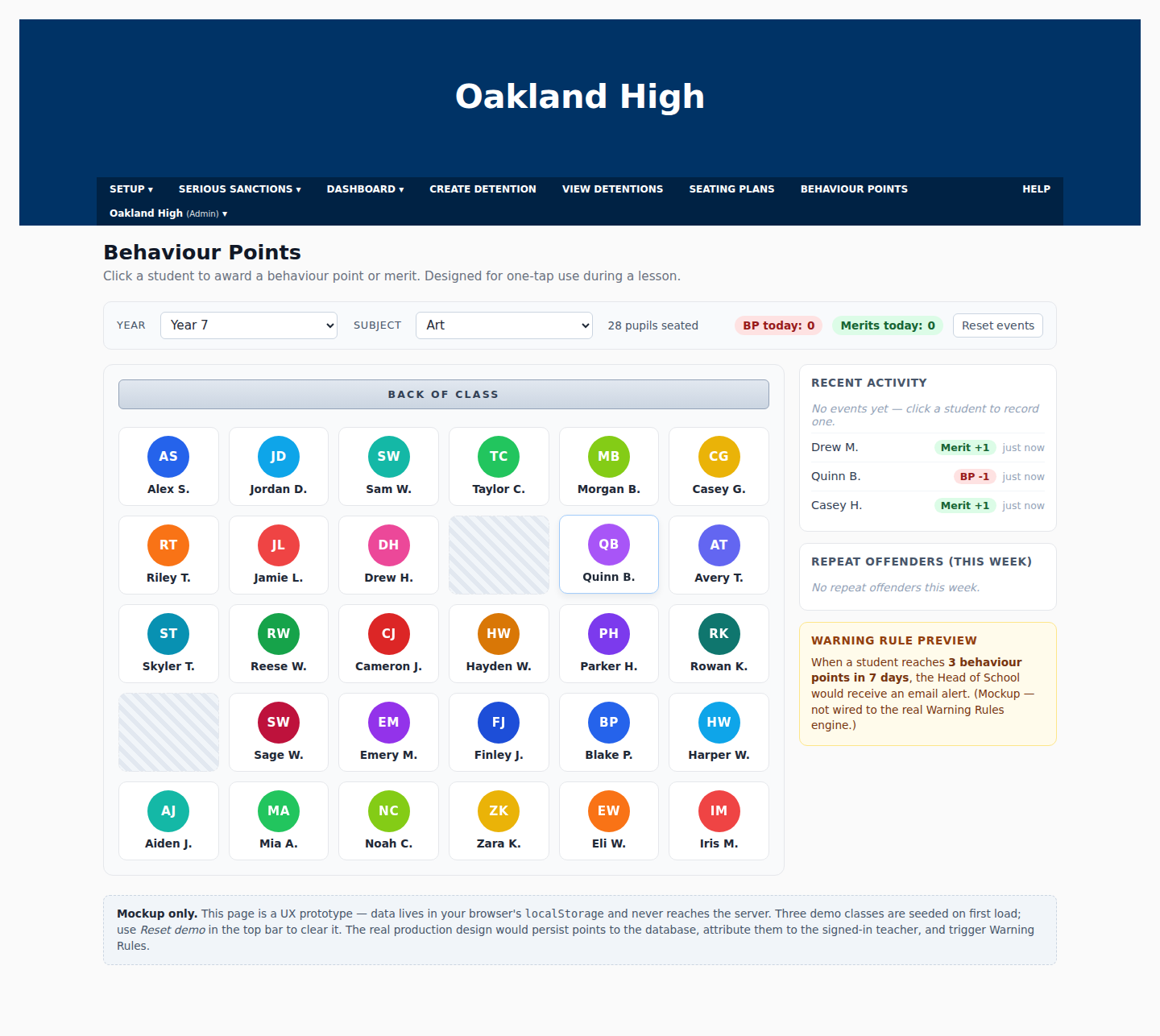
Behaviour Points are designed for the cognitive load of a real classroom — one screen, one tap, no menus. Awards are timestamped to the teacher and lesson. When a pupil crosses a Warning Rule threshold, the system emails the Head of Year automatically.

  • Merits and behaviour points on one screen
  • Repeat-offender list updates live
  • Warning Rule previews show what will trigger
  • Backed by the school's seating plan
Behaviour Points screen with year/subject selectors and a warning rule preview
Year 7 · Art — back-of-class view with live activity and warning preview.
Seating Plans

The seating plan IS the behaviour interface.

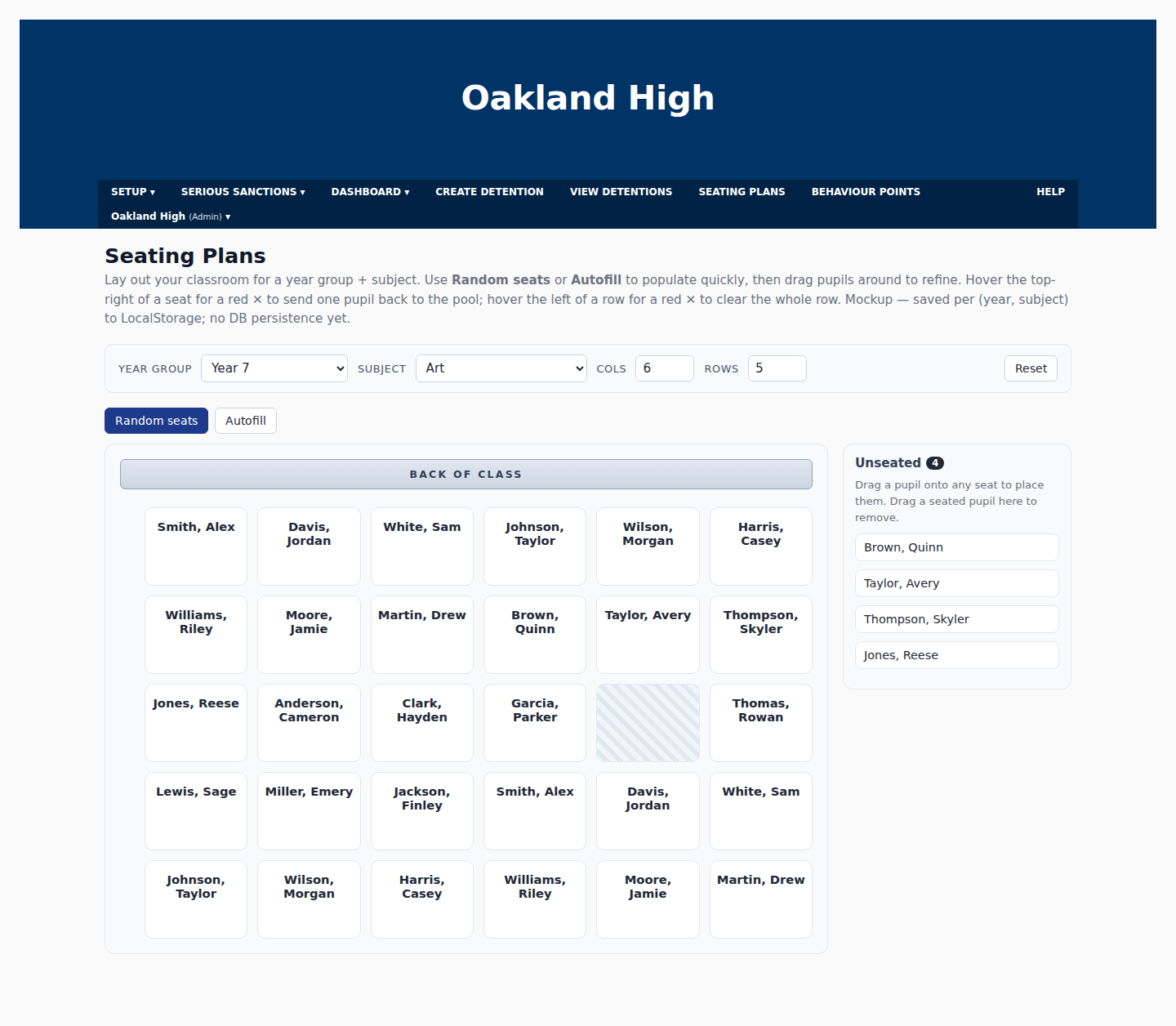
Lay out your classroom for any year-group/subject combination. Use Random seats or Autofill to populate quickly, then drag pupils around to refine. Tap a seat to award a behaviour point or merit on the spot.

  • One plan per Year × Subject pair
  • Unseated pupils list as you place
  • Plans persist — they're not just a printout
  • Cover teachers see exactly what the regular teacher sees
Seating plan grid for Year 7 Art with unseated students panel
Year 7 · Art — drag to seat, click a seat to award a point.
Warnings & Sanctions

Escalation that runs itself.

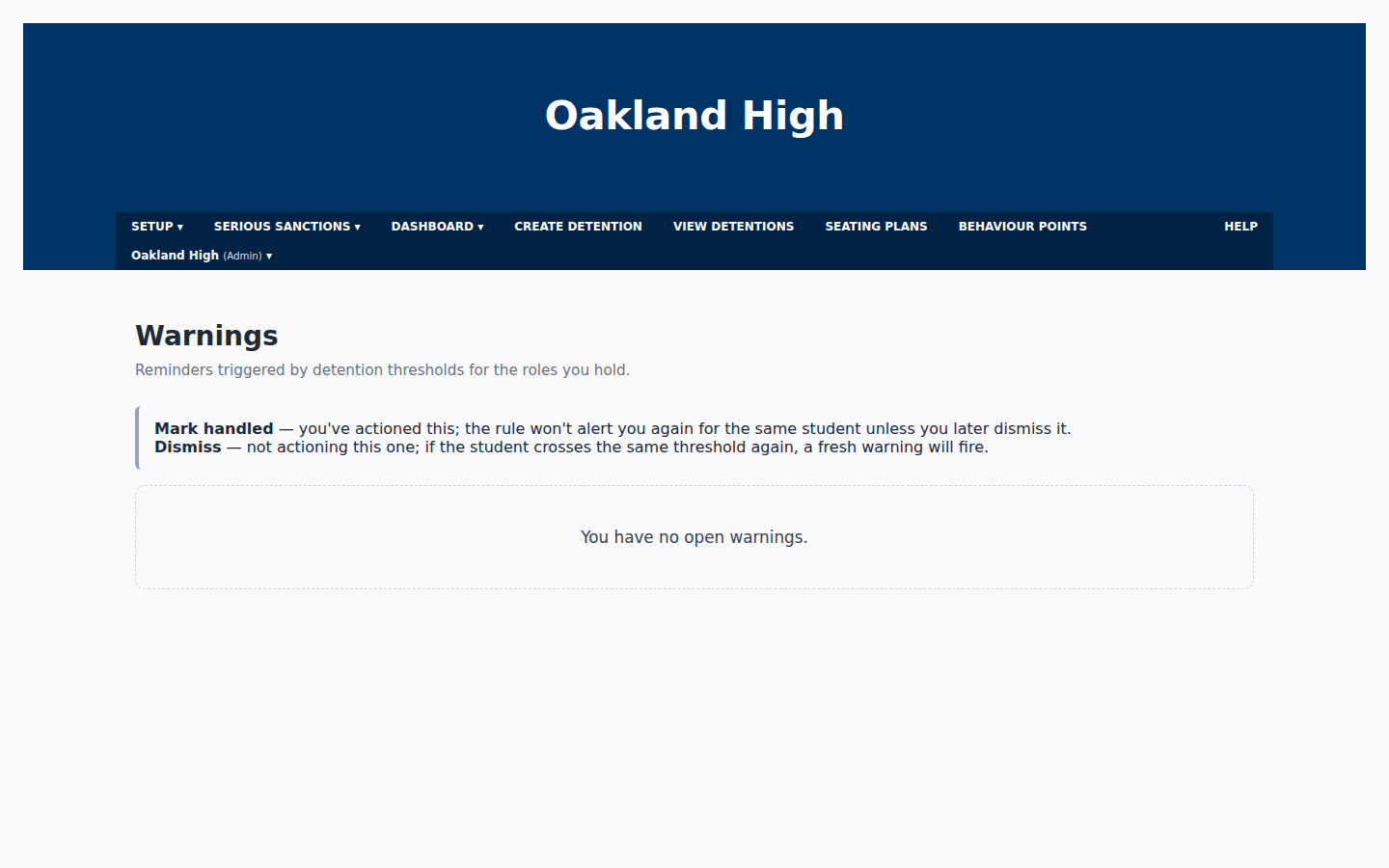
Define the rules your pastoral team already follows — "3 behaviour points in 7 days notifies the Head of Year", "5 points in a half-term triggers a parent meeting". The dashboard watches every event and emails the right person at the right moment.

  • Configurable per school
  • Year-Group Overseer routing
  • Serious Sanctions module for high-severity incidents
  • Full audit trail of every triggered rule
Warnings screen showing rule configuration and triggers
Warnings — see triggered rules and the events that caused them.
Stakeholder Surveys

School Pulse 360 — find out what matters most.

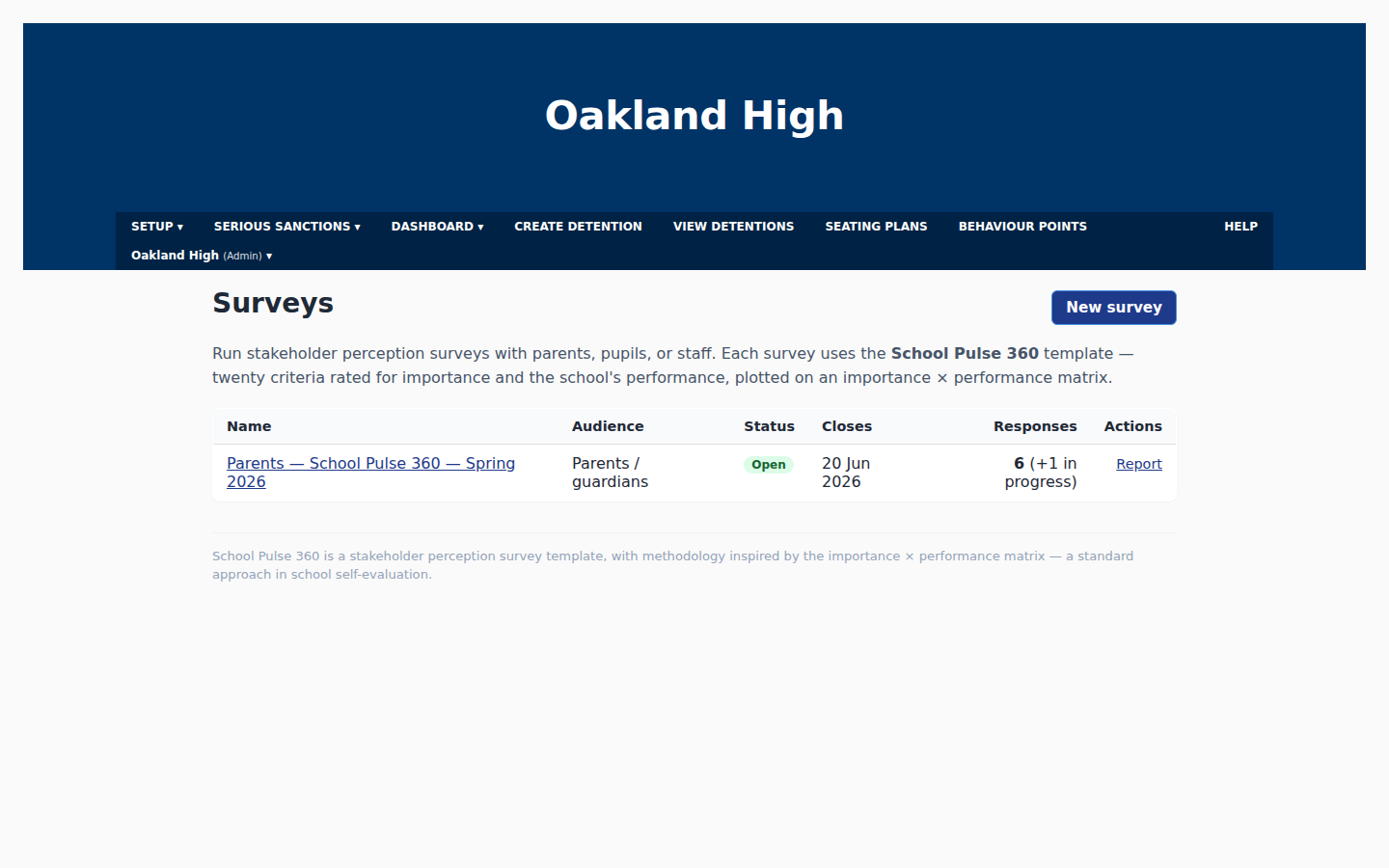
Run Kirkland-Rowell-style stakeholder perception surveys with parents, staff and pupils. Each question is scored twice — importance and performance — and plotted on a quadrant chart that immediately shows where to focus.

  • Pre-built question banks per stakeholder group
  • Quadrant charts: high-importance / low-performance = act now
  • PDF export of the full report
  • Methodology lineage shown on every chart
Surveys index page listing School Pulse 360 surveys
Surveys index — manage live surveys and view reports.
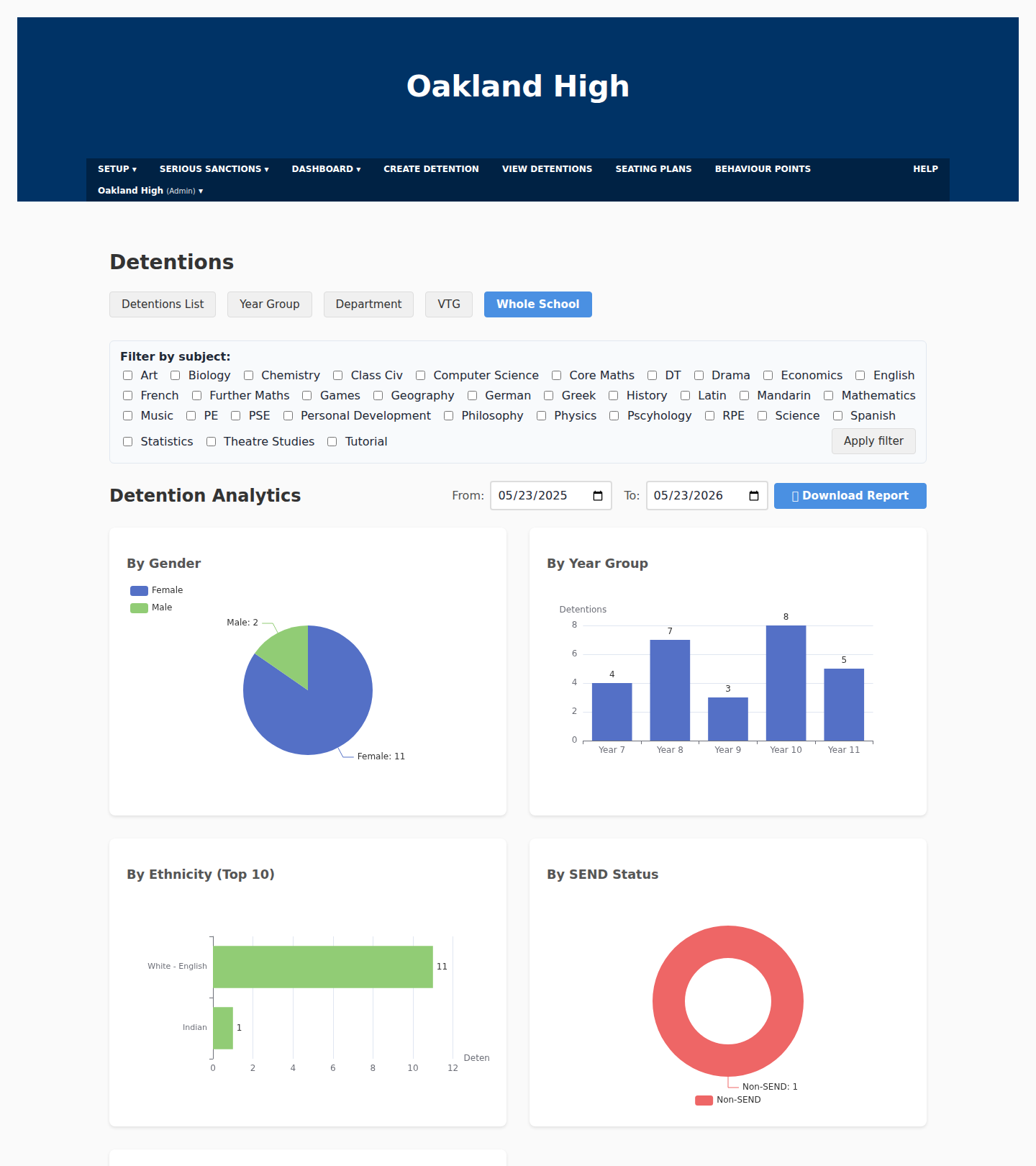
Whole-school analytics

Every detention, broken down the way Ofsted asks.

Open the Whole School view and the dashboard plots detentions by gender, year group, ethnicity, SEND status, disadvantaged status and category — instantly. No pivot tables, no exporting to Excel.

  • Filter by category, reason, year, department or VTG
  • Date-range picker for half-term, term or year
  • One-click report download for SLT meetings
  • Detentions-over-time chart for trend spotting
Whole-school detention analytics with charts broken down by year group, ethnicity, SEND status and category
Whole School view — detentions broken down by year, ethnicity, SEND, disadvantaged status and category.
Roster & access

One source of truth for students and staff.

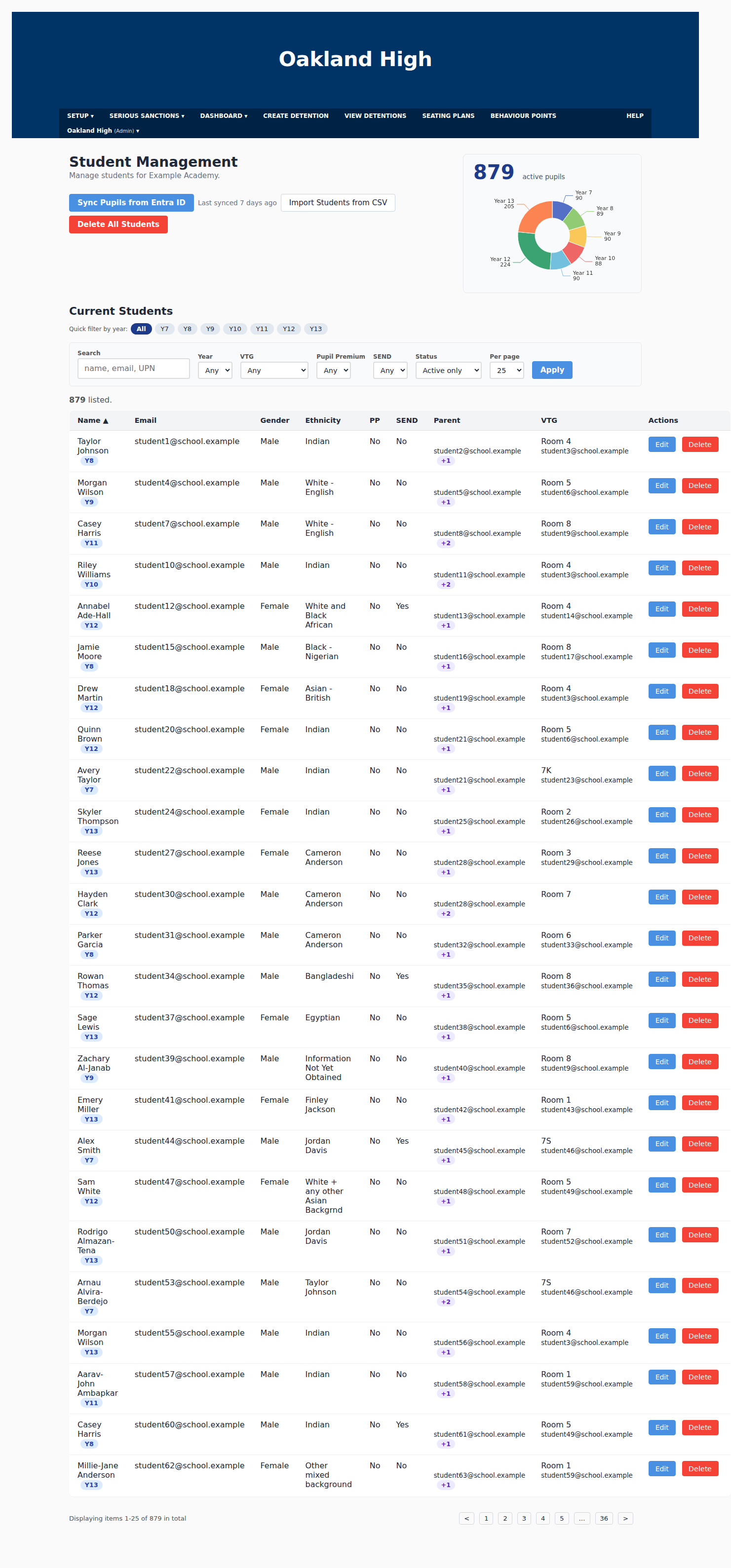
Student Management page with demographic donut chart and student list
Students — demographics at a glance, full roster underneath.
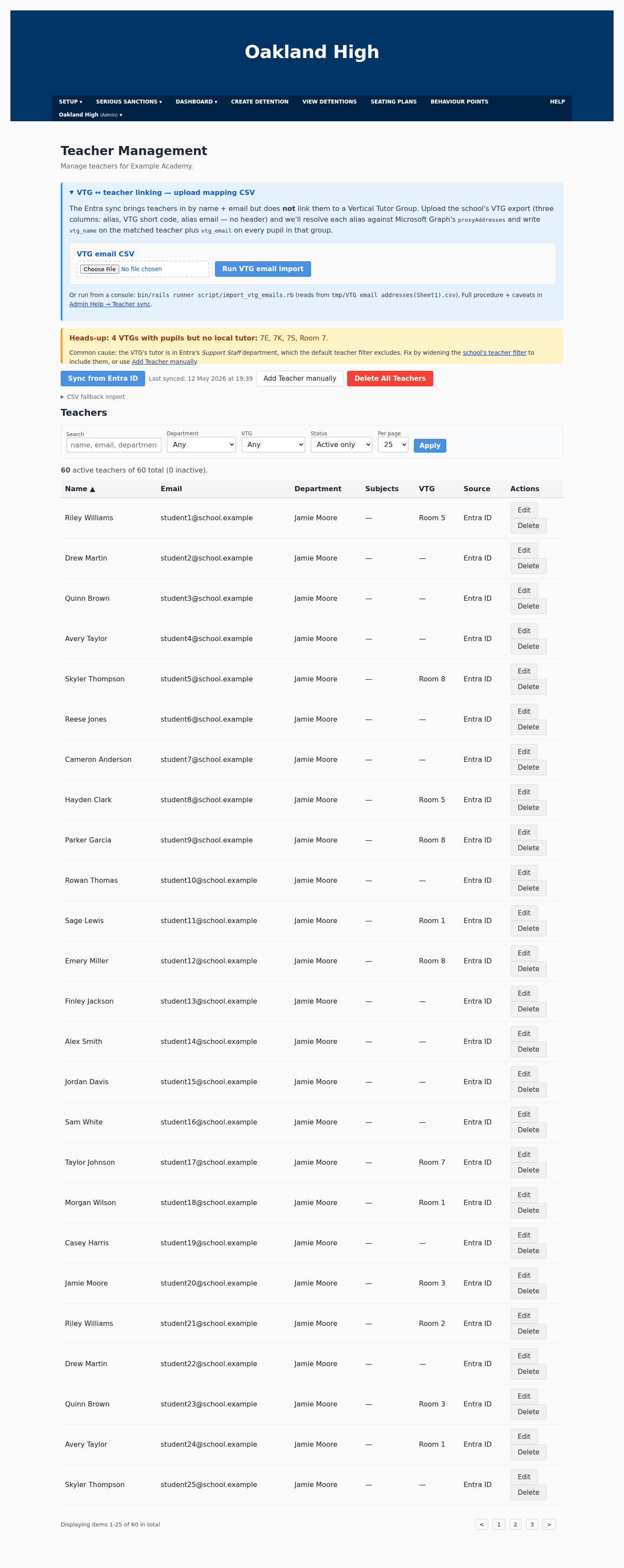
Teacher Management page with VTG mapping and Entra ID sync
Teachers — sync nightly from Microsoft Entra ID, no CSV chasing.

Student roster

Import from your MIS via CSV. Ethnicity, year group, VTG and SEND fields are first-class — feeding straight into inclusion reporting.

Teacher roster

One-click sync from Microsoft Entra ID. New starters appear; leavers go inactive automatically. Per-school filter expressions support unusual department names.

Built right

The things schools actually ask about.

Microsoft Entra SSO

Staff sign in with their existing school accounts. Tenant ID stored encrypted at rest. Nightly sync keeps the roster current.

Multi-tenant by design

Every record is school-scoped. Cross-school leakage is structurally impossible — not a policy, a property of the schema.

Per-school branding

Upload your logo and header colour. Parent emails go out under your school's identity, not ours.

Roles that match real schools

Superadmin, admin, teacher, parent, child — with policies that mirror who's actually allowed to see what.

Audit log on every change

Every detention create, update and delete is recorded with user, school and changed fields. Ofsted-friendly.

Daily database backups

Nightly Postgres dumps to S3 at 04:00 UTC. Point-in-time restores are a one-line command for the operations team.

See it on your school's data.

We'll spin up a tenant pre-loaded with a sample of your staff and pupils, and walk your SLT through every module in 30 minutes.

hello@schooldashboard.uk